Export to AkashicLink 2.0 on mobile
We’ve put together a simple, step-by-step guide to help you smoothly export your account from AkashicLink to AkashicLink 2.0. This guide walks you through the entire process, ensuring your transition.
Export to AkashicLink 2.0 on iOS
Video Guide
1. Export your KeyPair
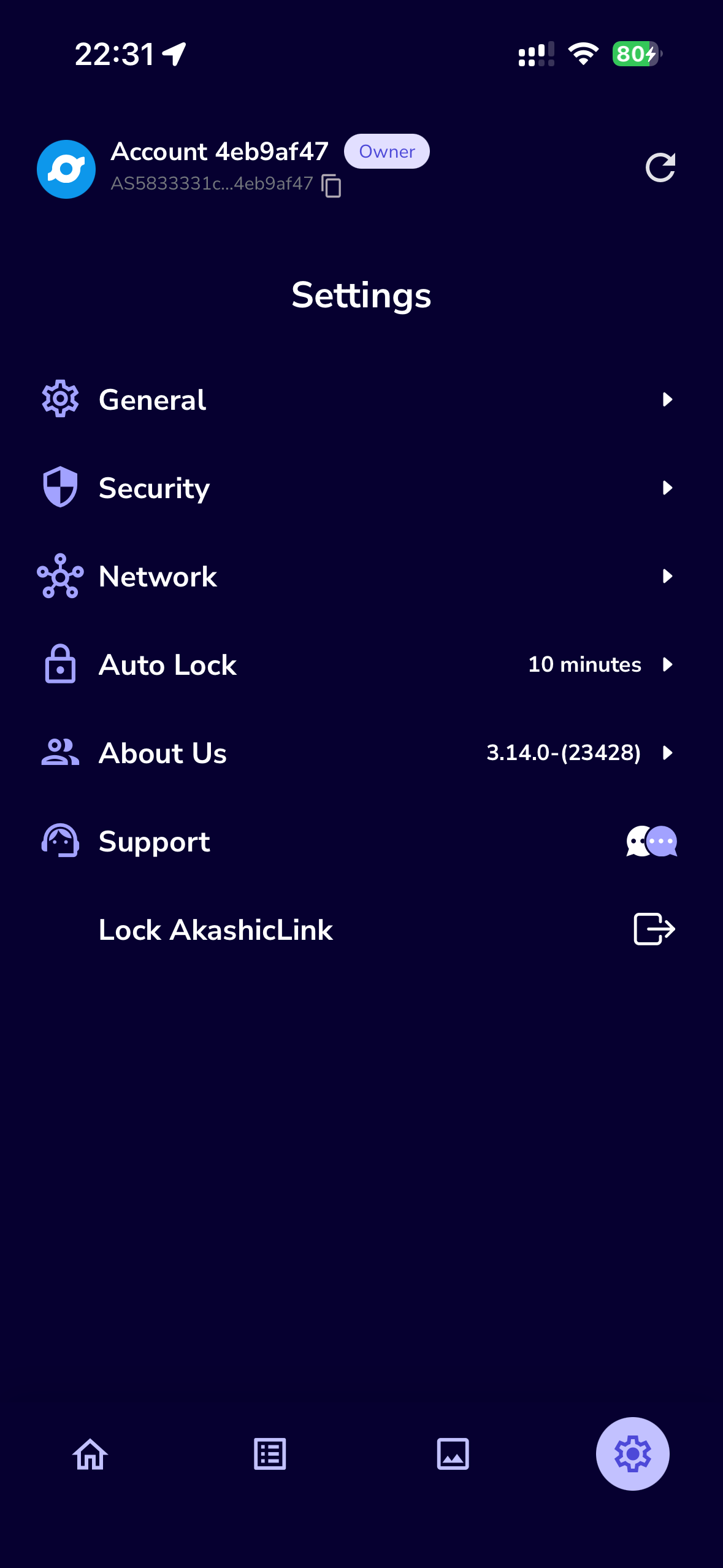
- First, log in to your AkashicLink account and go to the Settings tab.
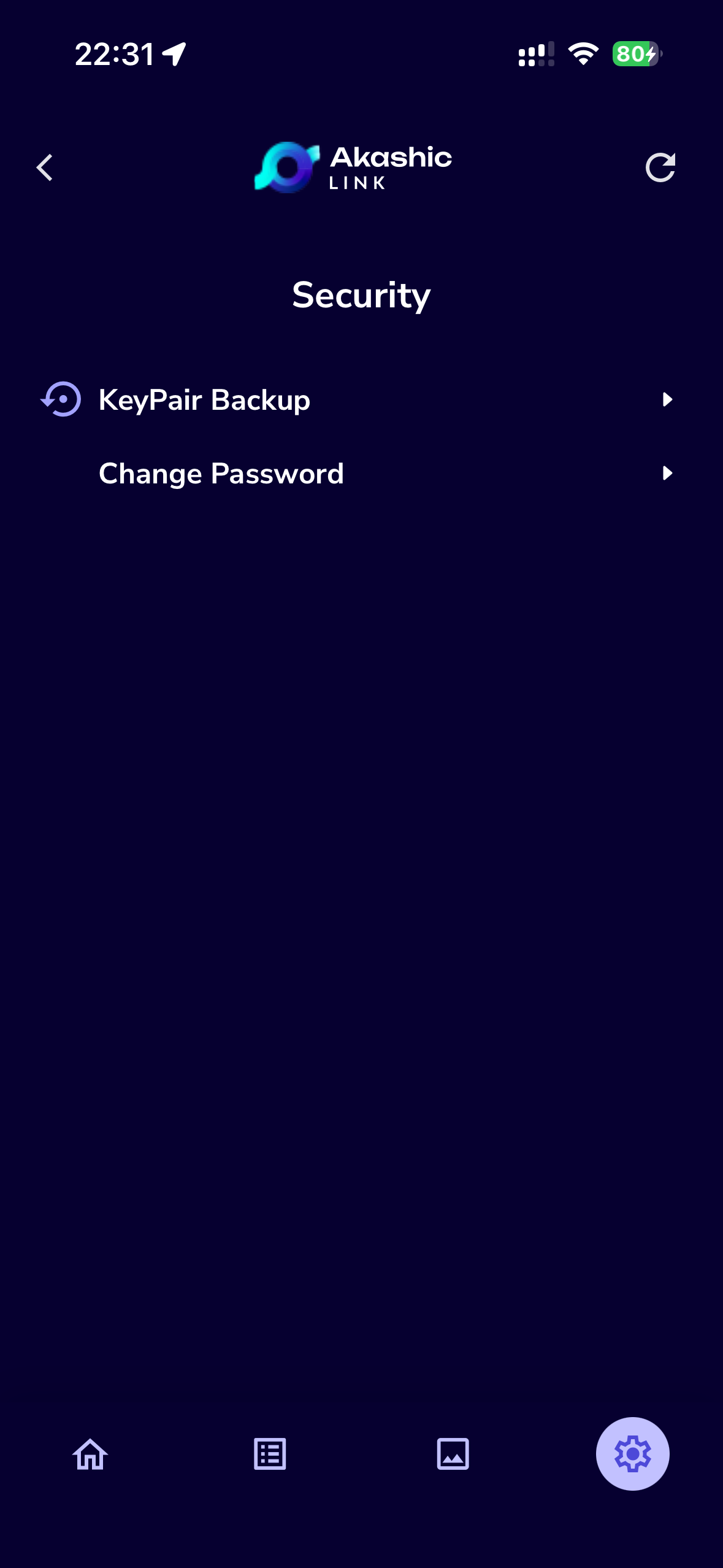
- Then, navigate to Security and select KeyPair Backup.
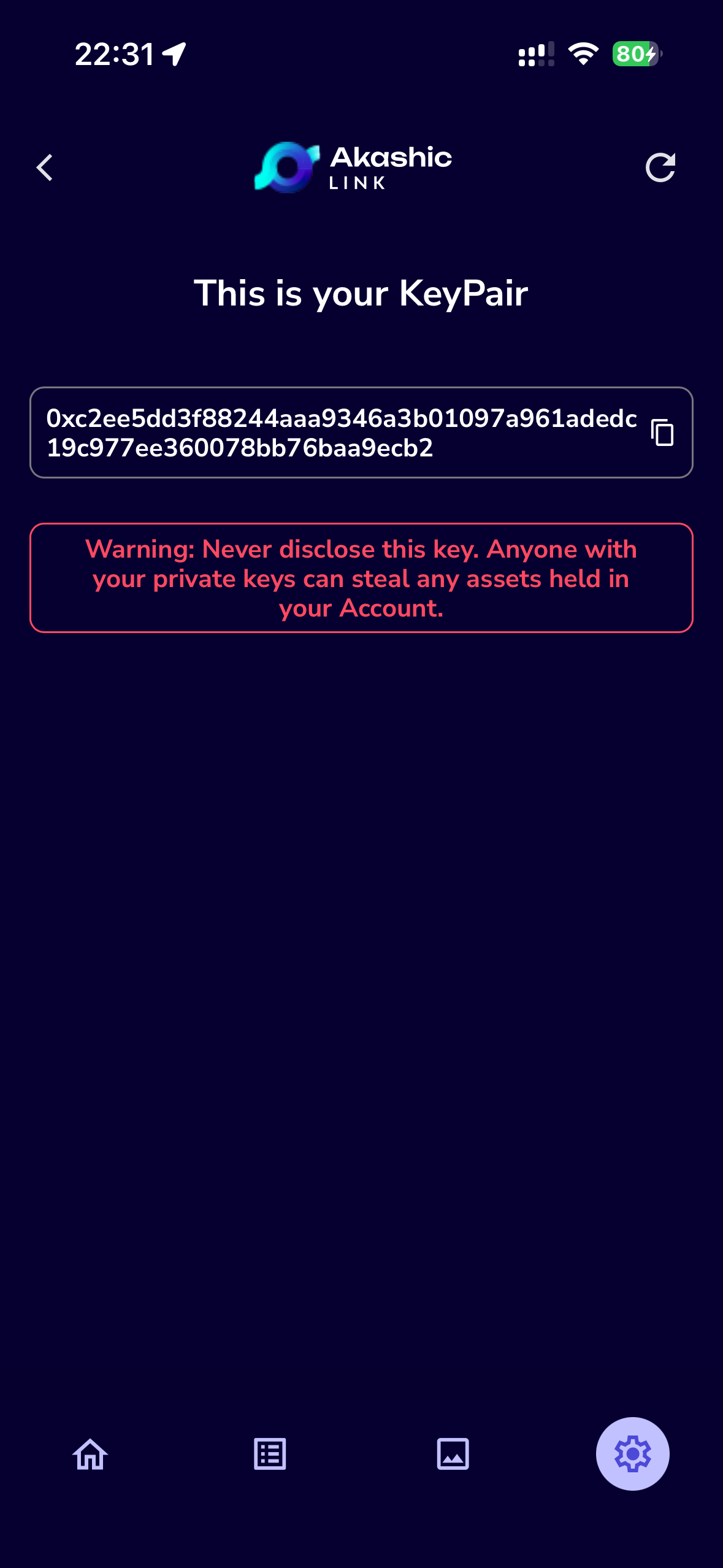
- Enter your password, copy your KeyPair, and store it somewhere safe.
Note: Your KeyPair grants full access to your funds. Losing it means you will permanently lose access and be unable to recover your assets. Keep your KeyPair private and never share it with anyone.
| Navigate to Security -> | Select 'KeyPair Backup' -> | Copy your KeyPair and keep it somewhere secure |
|---|---|---|
 |  |  |
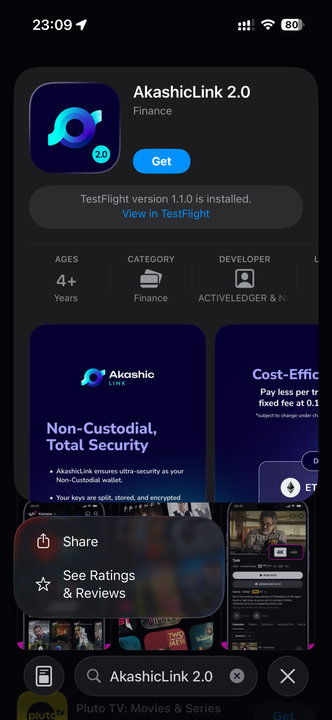
2. Download AkashicLink 2.0 from the App Store
Open the App Store on your device and search for AkashicLink 2.0. Once you find the app, tap Download or Get to begin installation. After it’s installed, you’ll be ready to set up and transfer your account seamlessly.
3. Import your account using your Secret Recovery Phrase or KeyPair
- After launching AkashicLink 2.0, review and accept the Terms of Use to proceed.
- Once accepted, select Import Account from the main menu to begin transferring your existing account details.
- Follow the on-screen instructions to continue importing your account within AkashicLink 2.0.
| Agree to the Terms of Use and select 'Import Account' -> | Import account from either Secret Recovery Phrase or KeyPair |
|---|---|
-90ededbd6964deb2d61b1953e08f678d.png) | -55c5e090971711ab3ce29b935f26830e.png) |
- If you choose:
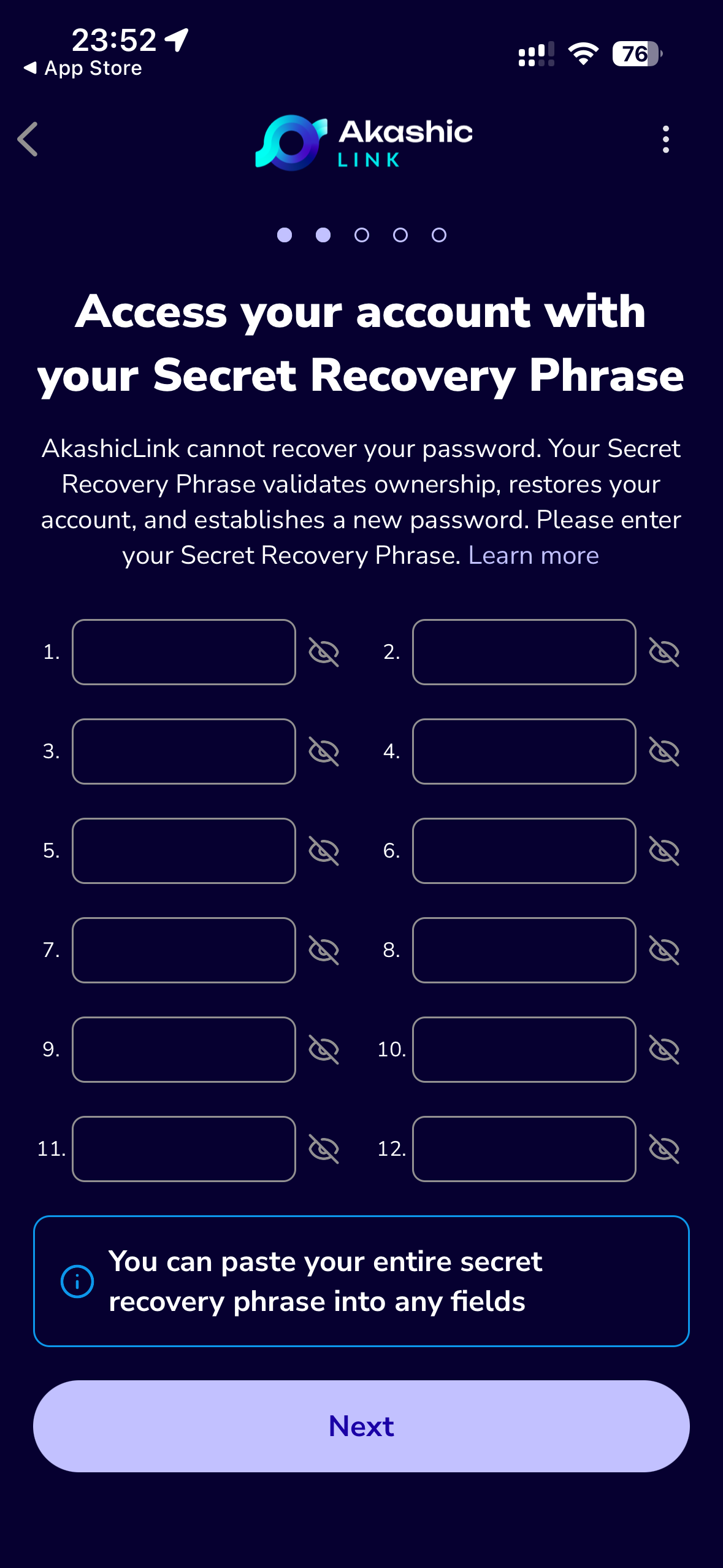
- Secret Recovery Phrase, enter the 12 words you received when you first created your Akashic account.
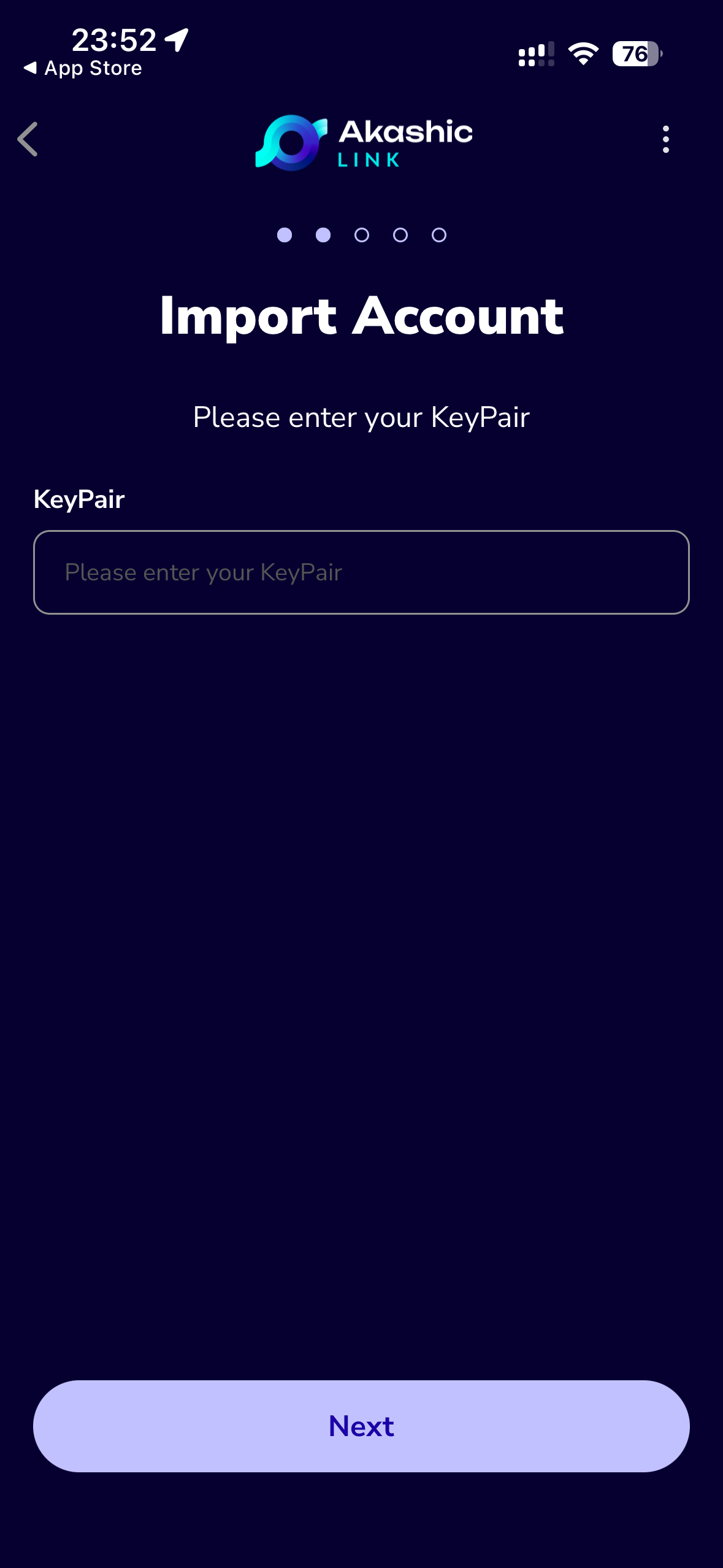
- Alternatively, you can enter the KeyPair you previously saved from your AkashicLink account.
| Enter your 12-words secret recovery phrase, or -> | Enter your KeyPair |
|---|---|
 |  |
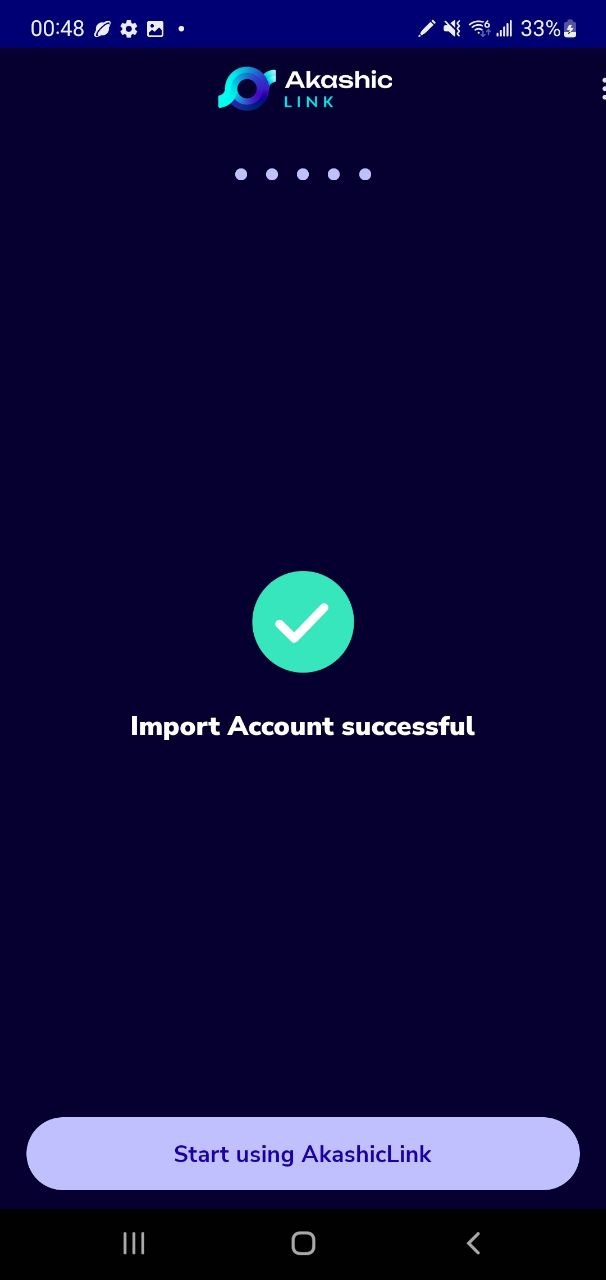
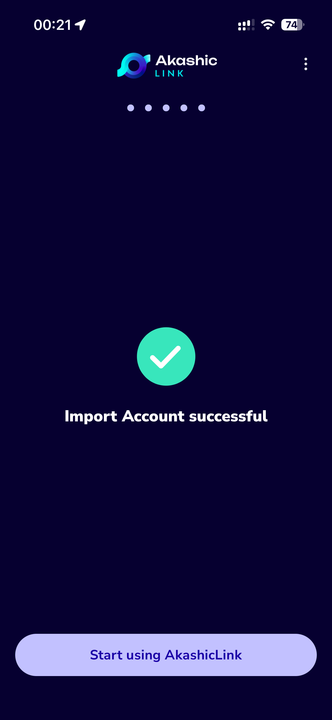
- You have now successfully imported your Akashic account onto AkashicLink 2.0.
Export to AkashicLink 2.0 on Android
Video Guide
1. Export your KeyPair
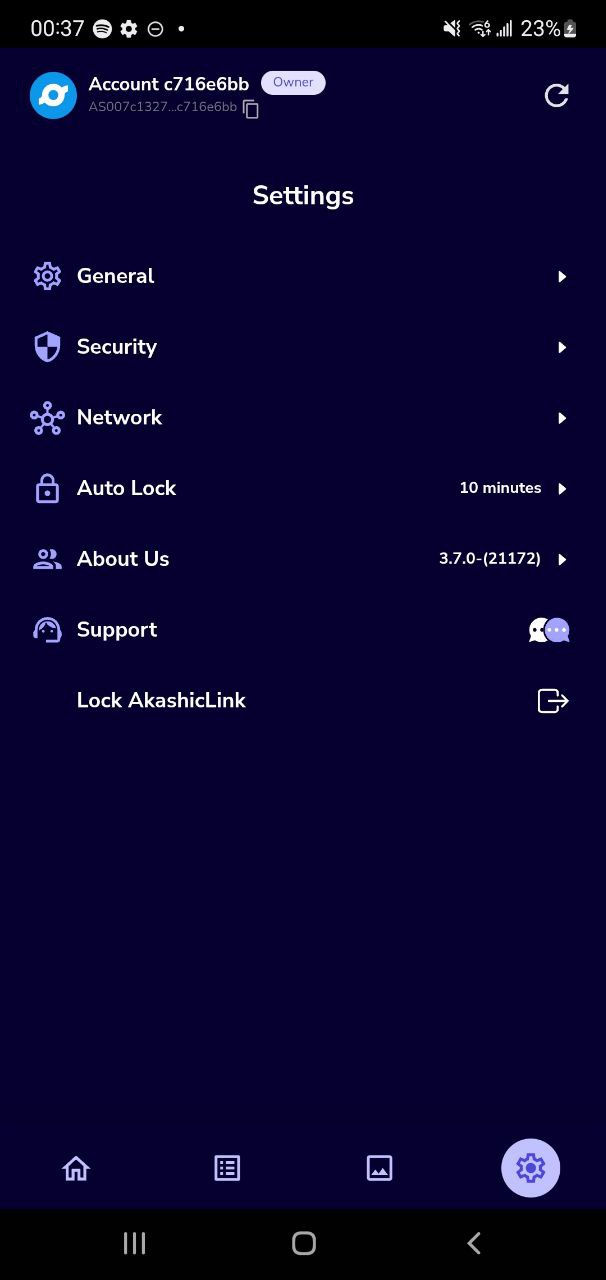
- First, log in to your AkashicLink account and go to the Settings tab.
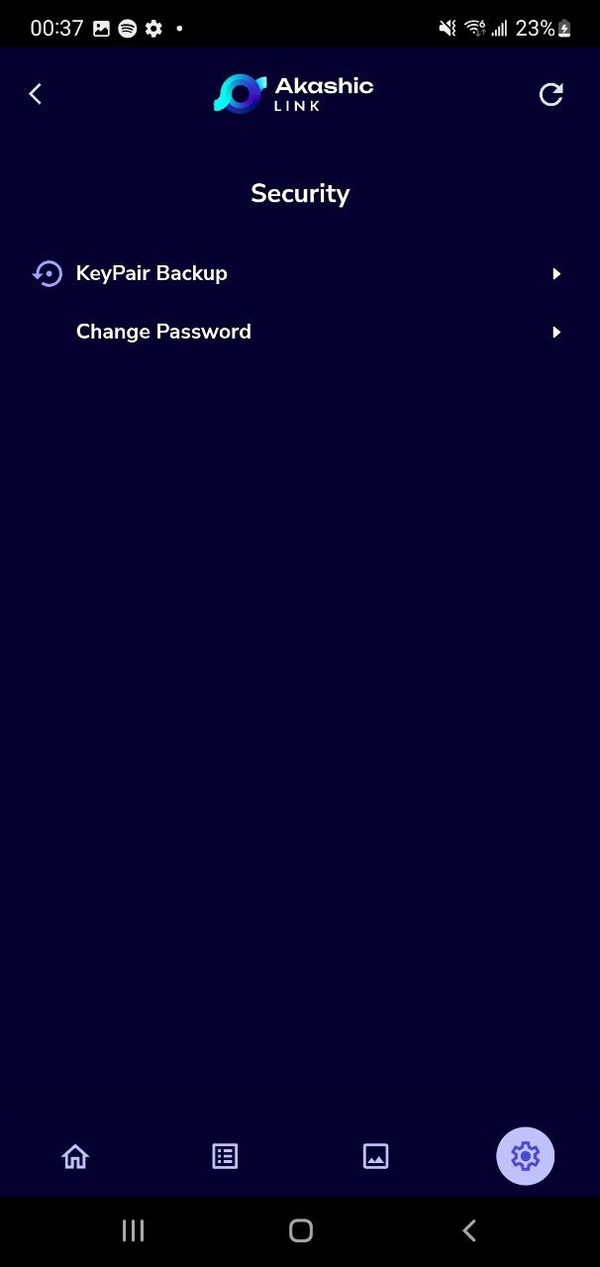
- Then, navigate to Security and select KeyPair Backup.
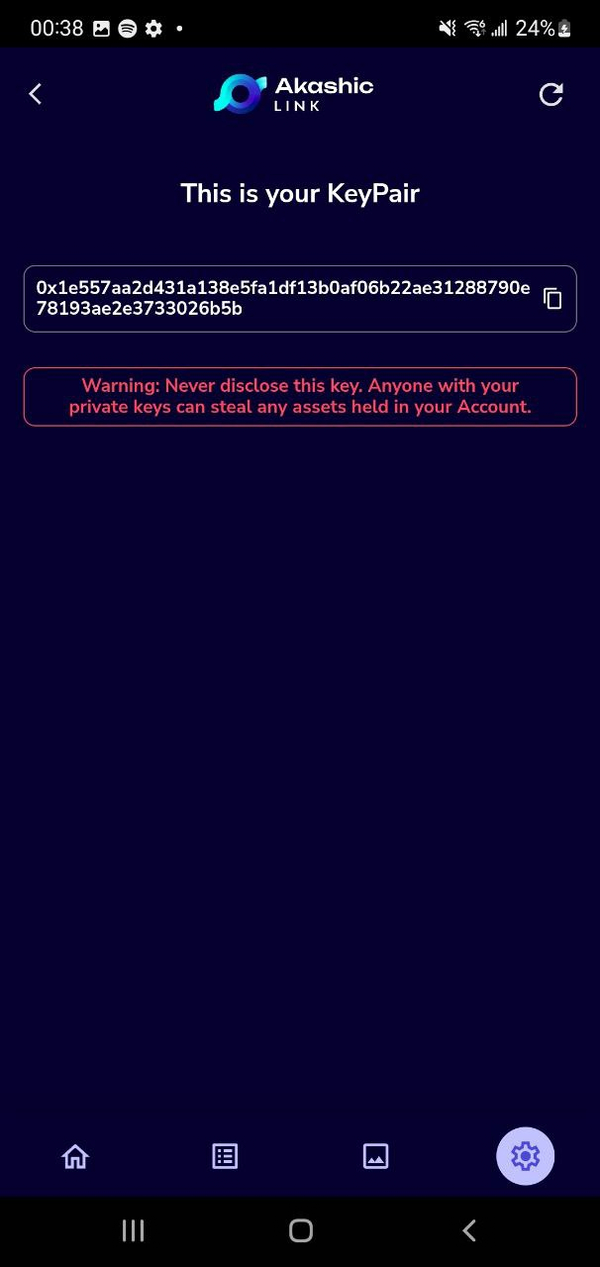
- Enter your password, copy your KeyPair, and store it somewhere safe.
Your KeyPair grants full access to your funds. Losing it means you will permanently lose access and be unable to recover your assets. Keep your KeyPair private and never share it with anyone.
| Navigate to Security -> | Select 'KeyPair Backup' -> | Copy your KeyPair and keep it somewhere secure |
|---|---|---|
 |  |  |
2. Download AkashicLink 2.0 from the Play Store
Open the Play Store on your device and search for AkashicLink 2.0. Once you find the app, tap Install to begin installation. After it’s installed, you’ll be ready to set up and transfer your account seamlessly.
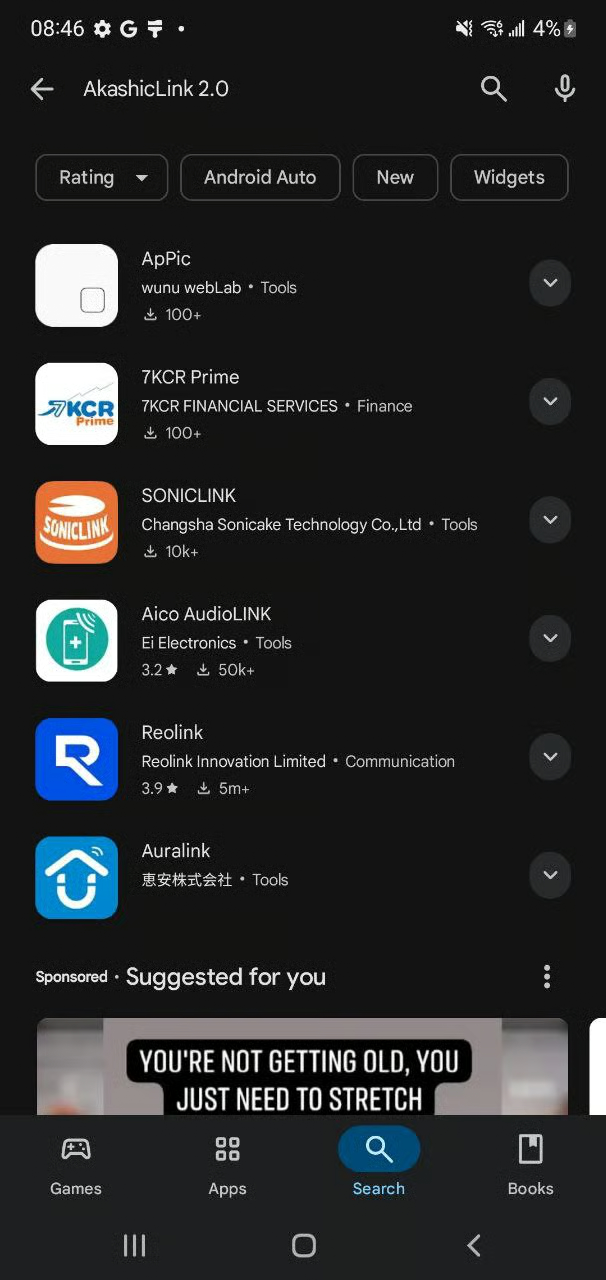
Can't find it on the Play Store?
If you cannot find AkashicLink 2.0 on your Play Store, don't worry. We will guide you through installing the app through APK.
- Visit https://www.akashiclink.com/ on your Android device.
| Click the Play Store icon -> | Download the APK file -> | Click the file and Install AkashicLink |
|---|---|---|
 | 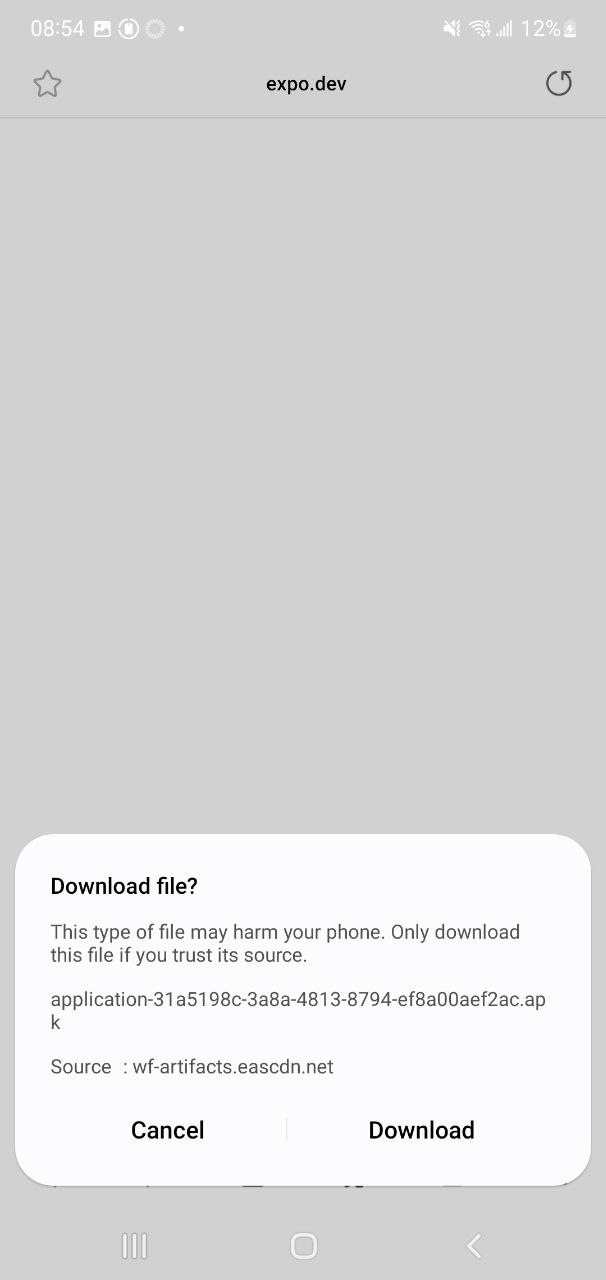 | 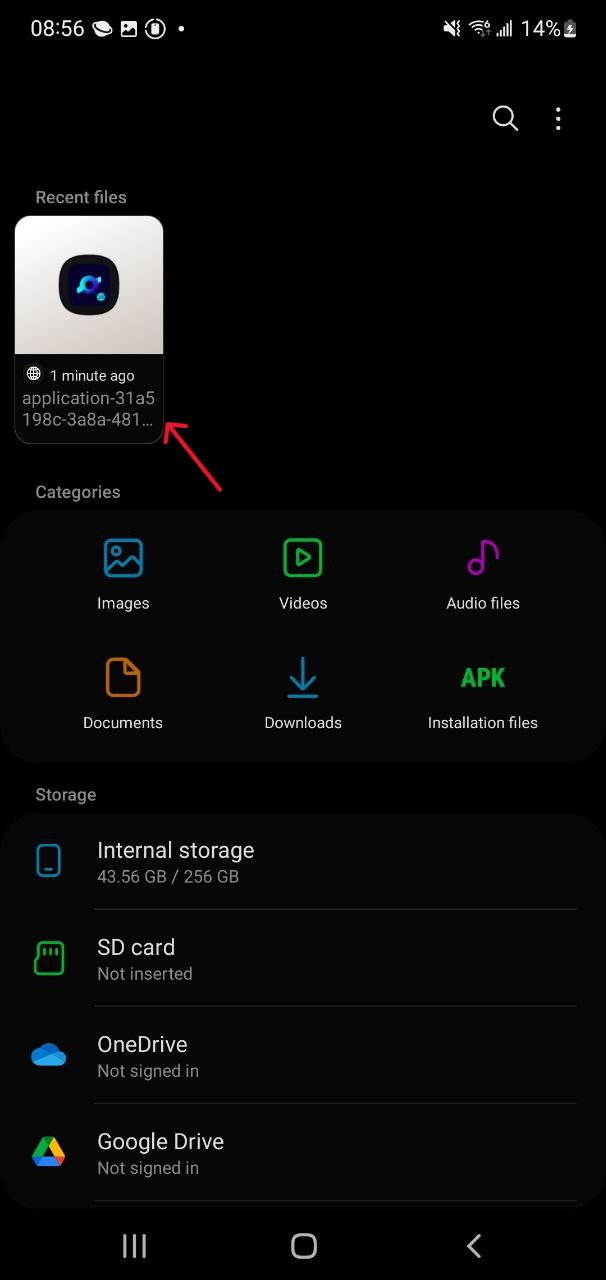 |
- Follow the image guide from above and install AkashicLink 2.0 through the APK file. Once this is complete, you're all set to create your unique AkashicLink Account!
3. Import your account using your Secret Recovery Phrase or KeyPair
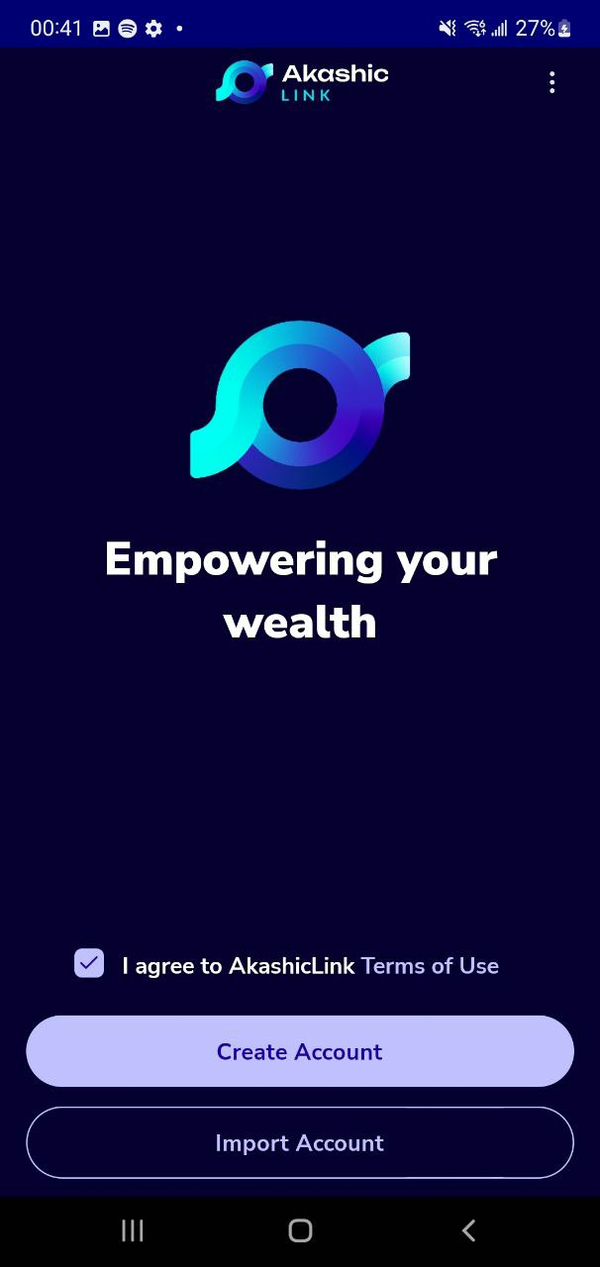
- After launching AkashicLink 2.0, review and accept the Terms of Use to proceed.
- Once accepted, select Import Account from the main menu to begin transferring your existing account details.
- Follow the on-screen instructions to continue importing your account within AkashicLink 2.0.
| Agree to the Terms of Use and select 'Import Account' -> | Import account from either Secret Recovery Phrase or KeyPair |
|---|---|
 | 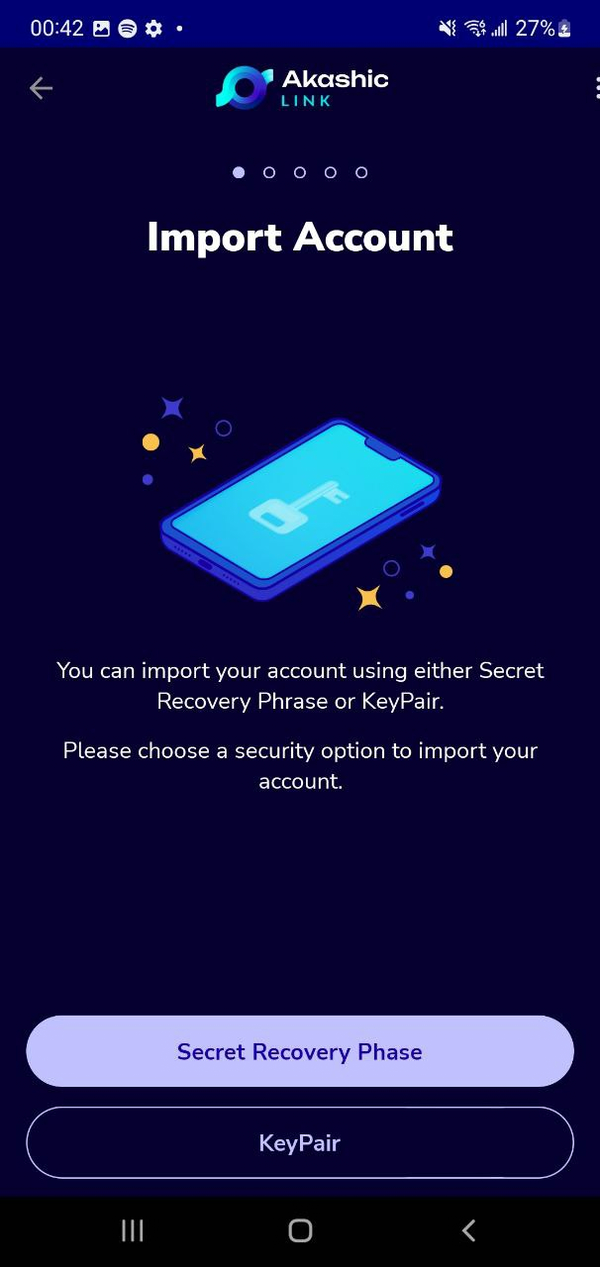 |
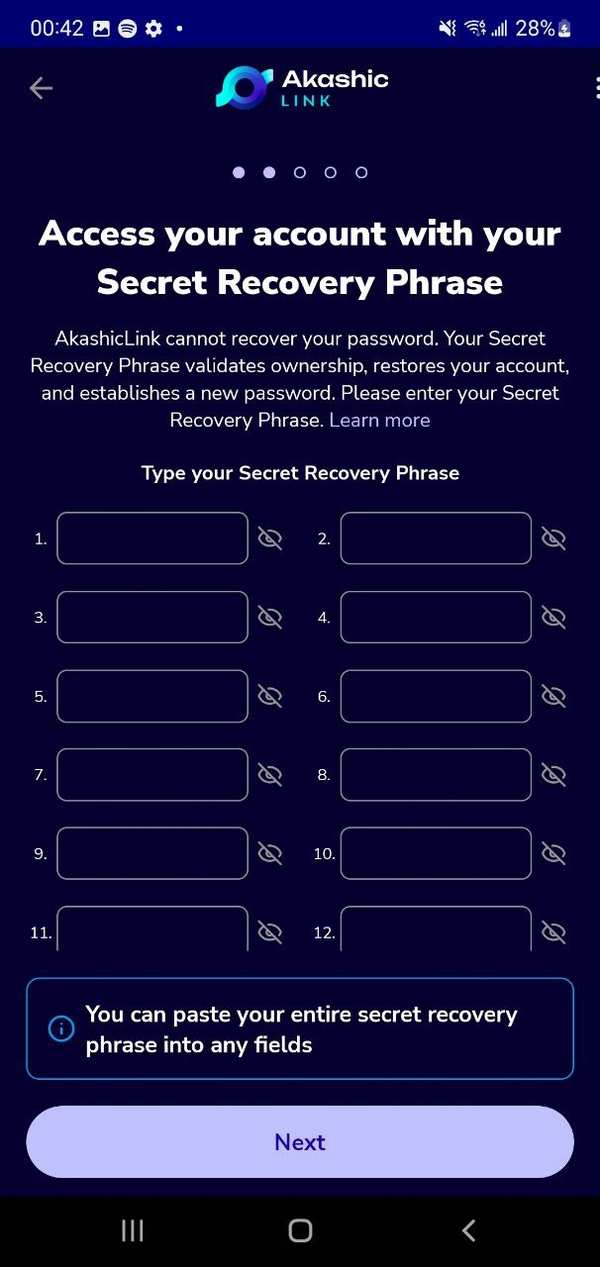
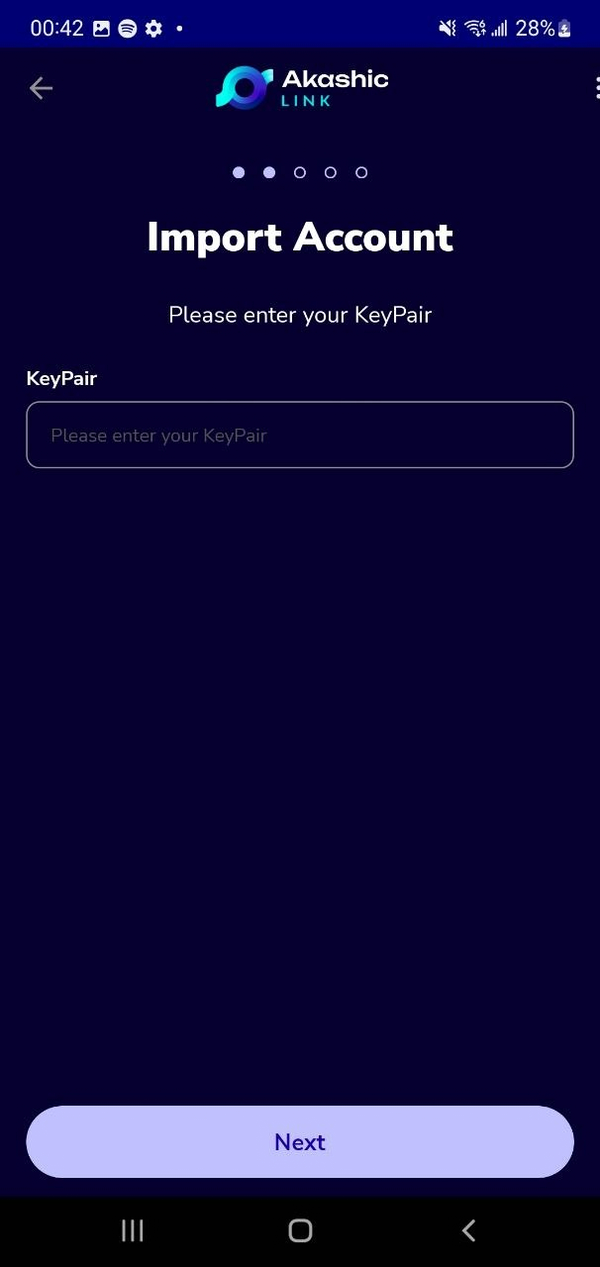
- If you choose:
- Secret Recovery Phrase, enter the 12 words you received when you first created your Akashic account.
- Alternatively, you can enter the KeyPair you previously saved from your AkashicLink account.
| Enter your 12-words secret recovery phrase, or -> | Enter your KeyPair |
|---|---|
 |  |
- You have now successfully imported your Akashic account onto AkashicLink 2.0.